Google Ads management for small businesses

Reach customers searching for your services

When someone nearby searches for the work you do, give them a clear way to find you and get in touch. We set up and manage Google Ads around the jobs you want to book and the areas you serve.

What you can expect

A budget you approveSee your proposed ad spend, setup fee and monthly management fee before you commit.
A review of what's already runningIf you have an account, we'll look at your current campaigns and talk through what's worth keeping.
A direct point of contactTell Keaton what you're hearing from callers and which jobs you want more of.

How we manage your Google Ads

AdSponsored[yourbusiness].com
[Service] in [Your Town] | Request an Estimate
Licensed and local. See finished work and call or request a quote online. Serving [Town] and nearby areas.
Call now
Example ad

Campaign planning & setup

Start with the services you want to promote, where you have room on the schedule and what a good lead looks like. We use that information to plan the campaign, suggest a starting budget and write ads that tell customers what to do next.

  • ScopeCampaign plan
  • ScopeBudget recommendation
  • ScopeAd copy and setup
Service area · example
Example service area

Search & location targeting

Focus your ads on searches related to your services and the towns or regions you can serve. Point people to a relevant page so they can see what's included and call or request an estimate.

  • ScopeSearch themes or keywords
  • ScopeService area targeting
  • ScopeLanding page selection
Calls from adsTracked when a visitor taps or dials the number.Counted
Quote form sentTracked when a completed form reaches your inbox.Counted
Example lead actions

Lead tracking

Decide which actions are worth counting, like calls or completed quote forms. We'll set up and test tracking for the actions in your scope, then use your feedback to understand which inquiries are a good fit.

  • ScopeCall or form tracking as scoped
  • ScopeConversion checks
  • ScopeLead feedback
Monthly reportExample layout
What you spentLeads the campaign tracked
Example report

Monthly reporting & adjustments

See what you spent, how people responded and which leads the campaign tracked. Each month we review the results and use them to make adjustments to ads, targeting or budget as needed.

  • ScopeMonthly report
  • ScopeCampaign review
  • ScopeOngoing adjustments

A local campaign example

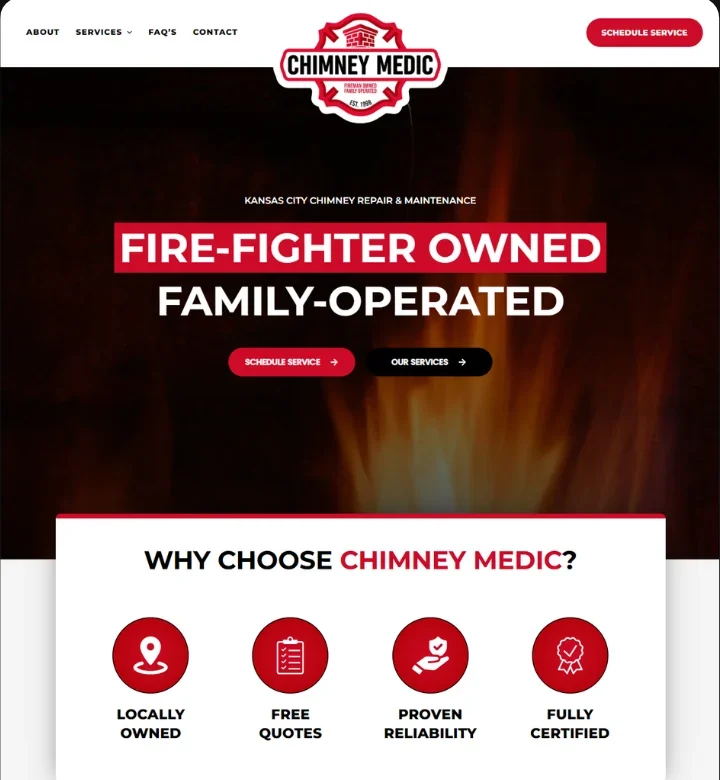
Chimney Medic websiteExample

Chimney inspections

A chimney company can promote inspections in the towns its crews serve and send visitors to an inspection page with a call button or appointment request. The owner can then review the calls and requests the campaign tracked.

Explore Web Design

Common questions

How much should I budget for Google Ads?

We'll suggest a starting ad budget after we understand what you offer, where you work and what you want the campaign to do. Fast5's setup and management fees are quoted separately from ad spend.

When will I know how my ads are doing?

The first month gives us an initial read on where interest is coming from. We'll review that data and your feedback on the inquiries in your monthly report and explain what we'll adjust next.

Do I need a new website to run ads?

We'll start by reviewing the site you have. If there's a page that explains the service, works well on a phone and makes it easy to get in touch, we can use it. We'll flag any changes that would help.

Let's plan your Google Ads campaign

Tell us what jobs you want more of and where you work. If you're already running ads, share what you'd like to improve. We'll talk through the scope and put together a quote.

Start A Project